Building a Foundational Search Portal
This tutorial will guide you through building a foundational data discovery portal for tabular CSV data using Elasticsearch, Arranger, and Stage.
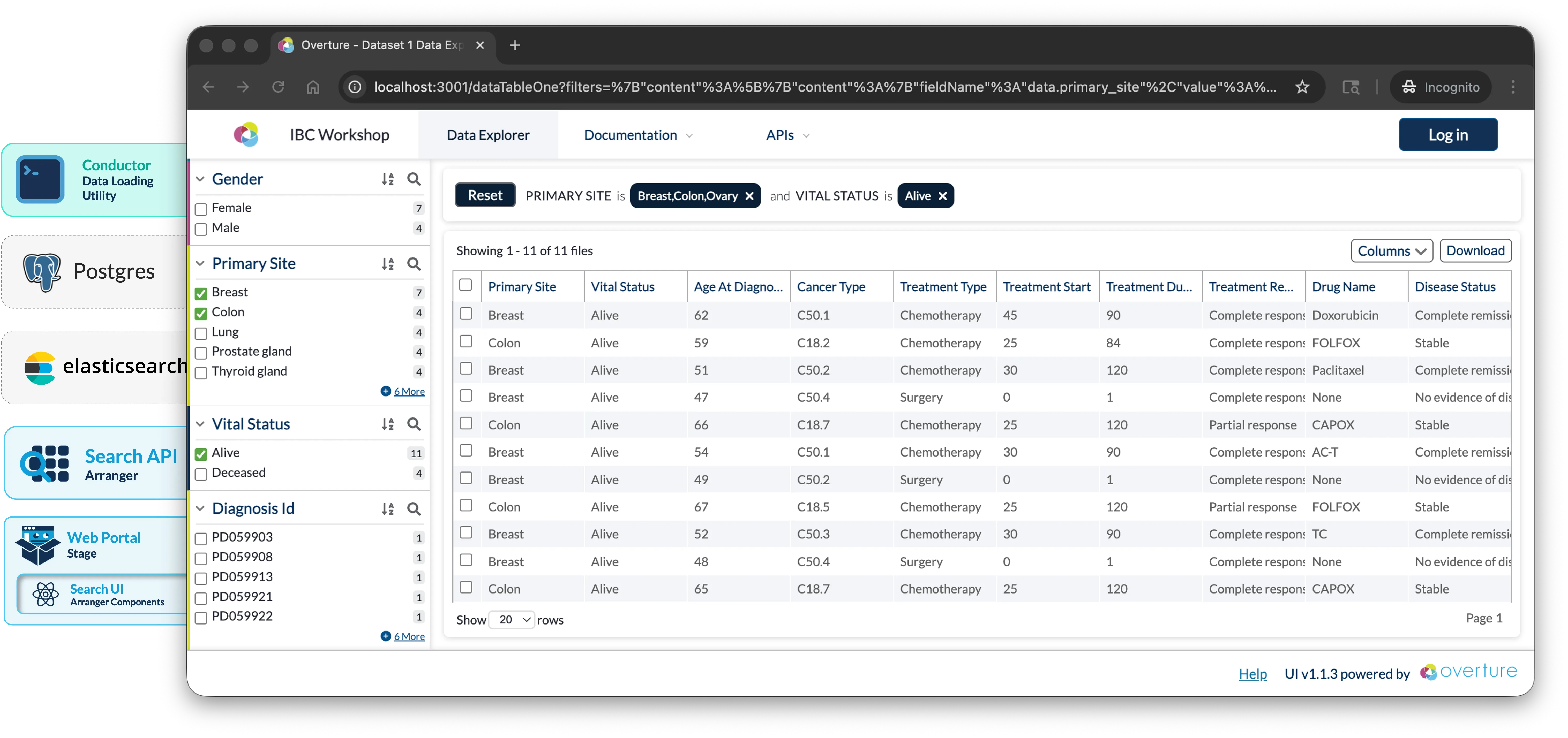
Objectives:
- Deploy a functional data discovery portal using Elasticsearch, GraphQL, Arranger, and Stage
- Configure search interfaces and indices tailored to tabular datasets
- Gain familiarity with the tools needed to adapt this portal to your own data
- Understand deployment options for making portals accessible on institutional networks and beyond
Prerequisites
Install and verify the following before you start.
1. WSL2 Setup (windows only)
Docker Desktop on Windows runs on WSL2, so configure it before installing Docker Desktop below:
- Install WSL2
- Use Ubuntu or another Linux distribution within WSL2
- Enable Docker Desktop's WSL2 integration (Docker Desktop → Settings → Resources → WSL Integration)
- Run all commands from a Bash terminal inside WSL2, not PowerShell or Command Prompt. To open one, search for your Linux distribution (e.g. "Ubuntu") in the Start menu.
2. Git installed
Download from git-scm.com if the command is not recognised.
3. Docker Desktop (28.0.0 or later)
- macOS / Windows: Download from docker.com/products/docker-desktop
- Linux: Follow the Docker Engine install guide
Once installed, open Docker Desktop → Settings → Resources and set:
- CPUs: 4+ cores (8 recommended)
- Memory: 8 GB minimum
- Disk: 10 GB+ available
Please ensure docker --version and docker compose version both return version numbers, and Docker Desktop is running with 4+ CPUs and 8 GB+ memory allocated
Optional Prerequisites
These are not required but will make this tutorial easier to follow:
5. (Optional) Elasticvue: browser-based Elasticsearch GUI
Elasticvue is a browser-based Elasticsearch GUI useful for inspecting indices, browsing documents, and troubleshooting. It is not required but helpful for understanding what's happening inside Elasticsearch while working through this tutorial.
Install it as a browser extension or standalone app.
6. (Optional) PostgreSQL GUI client
7. (Optional) Bring your own data: CSV file
If you have a tabular dataset you'd like to use, bring it as a CSV file. This tutorial uses demo data throughout, but the final sections cover adapting the portal to your own dataset.
If you can't find what you're looking for please don't hesitate to reach out through our support page or our discussion forum.